Airtightness tester details
Before you can use this facility you must enter the details of the airtightness testing scheme you are registered with. You will only need to do this the first time; once entered, the information will be saved for future use.- Sign in to Pulse Online using your email address and password
- Click the Profile link in the top right corner of the screen
- Select the Airtightness Testing Scheme you are registered with from the dropdown list
- Enter your personal Airtightness Tester Registration Number in the text box
- Click the Continue button to save the information
- Logout and log back in to refresh your user session
The Elmhurst Airtightness Scheme (EAS)
The Elmhurst Airtightness Scheme (EAS) is a scheme created for companies that carry out airtightness testing activities and to provide reassurance to clients that the work is carried out to a high degree of quality and integrity. EAS was formerly known as the Independent Airtightness Testing Scheme Ltd (iATS) and can be accessed at airtightness.elmhurstenergy.co.uk. EAS supports both air pressure tests and background ventilation assessments provided you have the required qualifications to carry out such tests.Elmhurst Airtightness Scheme (EAS)
Access the EAS Lodgement Portal and guideline documents.
Submitting a lodgement to EAS
Pulse test data must be transferred individually to the EAS Lodgement Portal. On the View Test page within Pulse Online, click the EAS Lodgement button at the bottom of the screen.
If the EAS Lodgement button is not visible, please ensure you have entered your airtightness tester details in your Profile.Once entered, logout and log back in to refresh your user information.
Entering API credentials
The first time you use the EAS Lodgement functionality, you will be required to input your API credentials. Your unique ID and Token can be found on the My Profile within the EAS Lodgement Portal.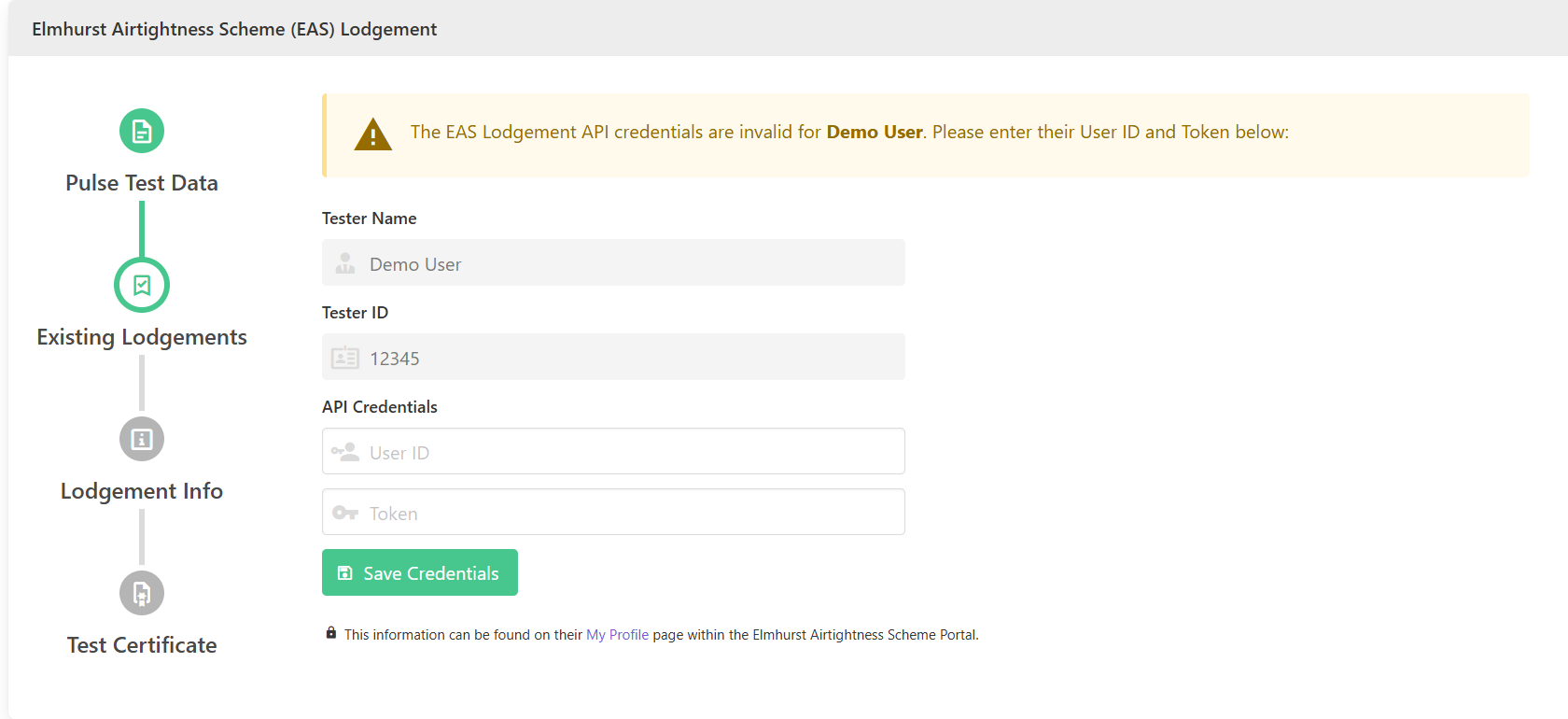 After your API credentials have been verified, the system will check to make sure that the Pulse test hasn’t already been lodged with EAS.
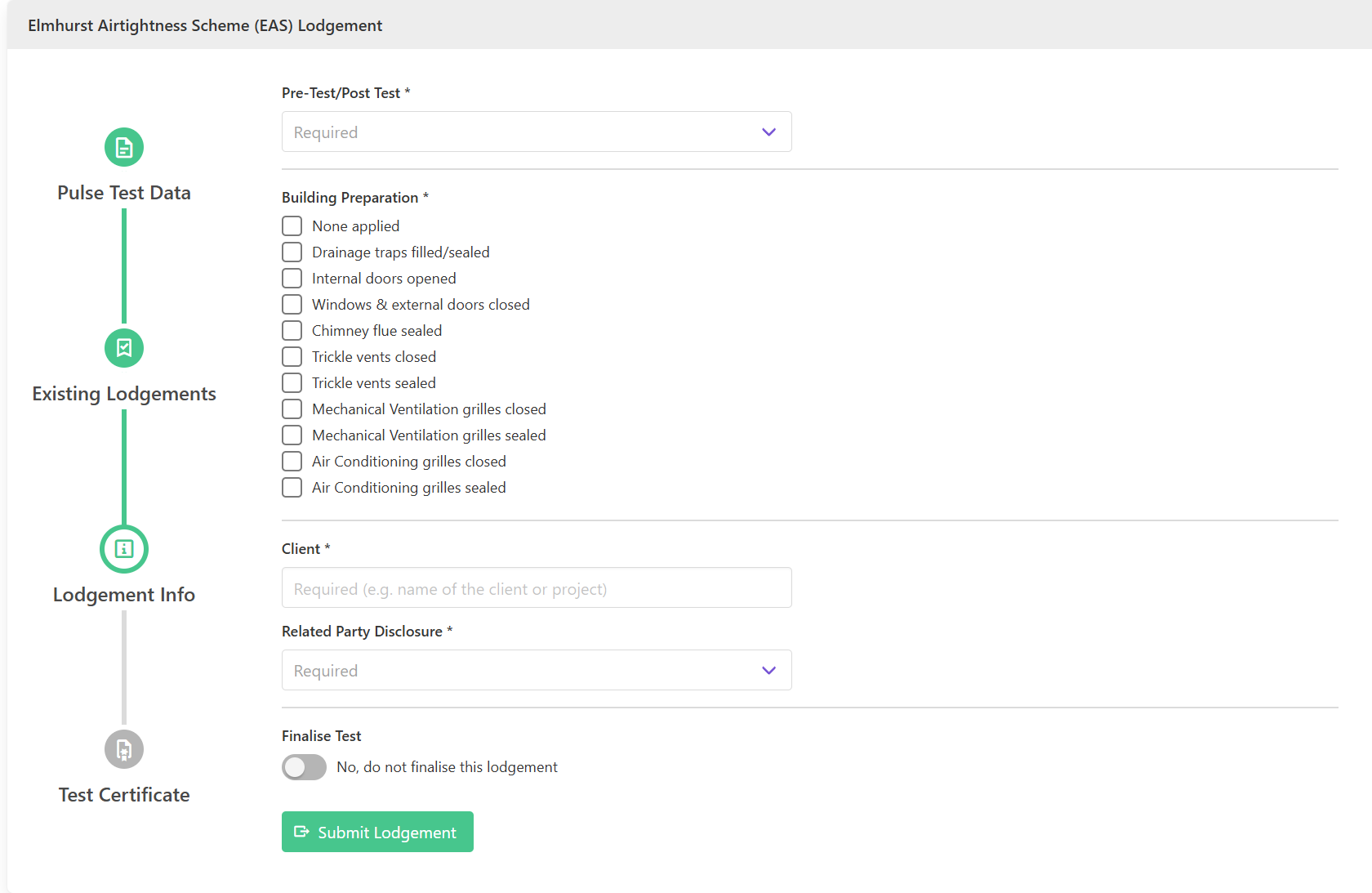
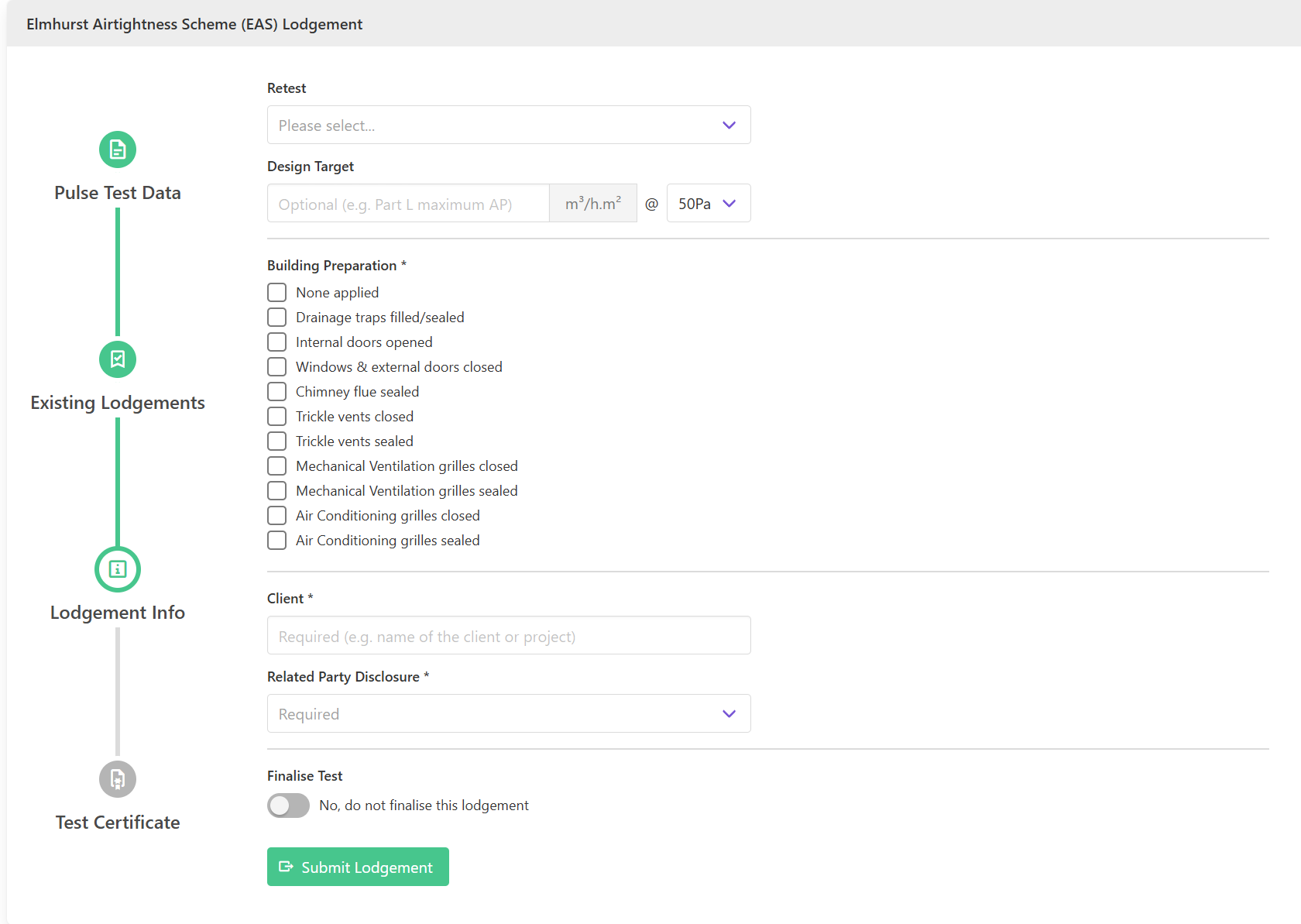
When prompted, enter the mandatory information and any optional data for the type of test that was performed.
You also have the option to finalise a lodgement directly from Pulse Online, or you can do this at a later date in the EAS Lodgement Portal.
After your API credentials have been verified, the system will check to make sure that the Pulse test hasn’t already been lodged with EAS.
When prompted, enter the mandatory information and any optional data for the type of test that was performed.
You also have the option to finalise a lodgement directly from Pulse Online, or you can do this at a later date in the EAS Lodgement Portal.
Information required for air pressure tests
Information required for background ventilation tests