> ## Documentation Index
> Fetch the complete documentation index at: https://docs.pulseairtest.com/llms.txt
> Use this file to discover all available pages before exploring further.
# Getting air receivers ready
## Using multiple air receivers
Depending on the size of the building or enclosure you are testing, it may be necessary to use more than one air receiver to achieve sufficient pressurisation and produce a valid result.
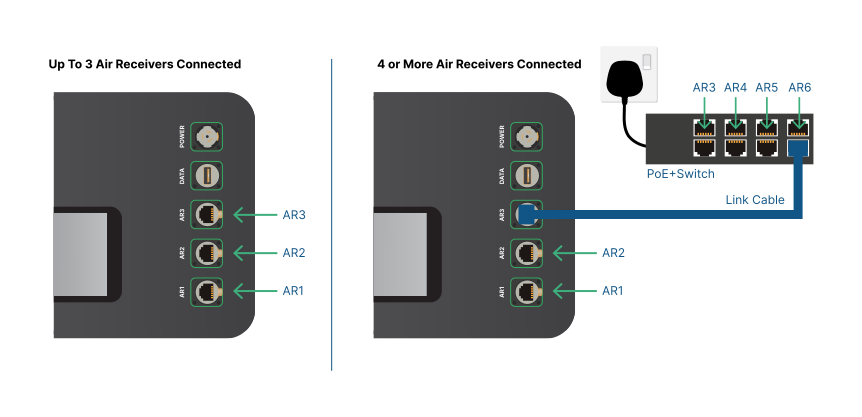
Up to three air receivers can be directly connected and powered by the controller. If more than three air receivers are required, an external Power over Ethernet (PoE+) switch is required.
The switch must be independently powered and is linked to the controller to expand the number of ports available to connect additional air receivers. A maximum of 10 air receivers are supported.
 > Contact our sales team to purchase a standalone PoE+ switch.
## Charging air receivers
Charging is the process of filling or pressurising an air receiver with compressed air.
When you connect an air receiver to the air compressor and turn the power on, the air receiver will automatically start charging.
The current "charge pressure" is constantly monitored and visible on the tank pressure gauge on the top of the air receiver.
The current charge pressure of each connected air receiver is also visible on the controller's status bar.
Air receivers can be pressurised to either a maximum of 10 bar or a lower charge pressure that you have set in the controller software.
When the air receiver has reached this limit or is fully charged, the compressor will switch off automatically.
Charging should take approximately **8 minutes** for a single 40 litre air receiver to fully charge from empty to its maximum 10 bar capacity.
When using multiple air receivers, the compressor should be connected to the first air receiver as normal until
it is fully charged. Then the compressor air hose can be moved from one air receiver to the next until all of the air receivers being used are charged.
## Optional hose splitter
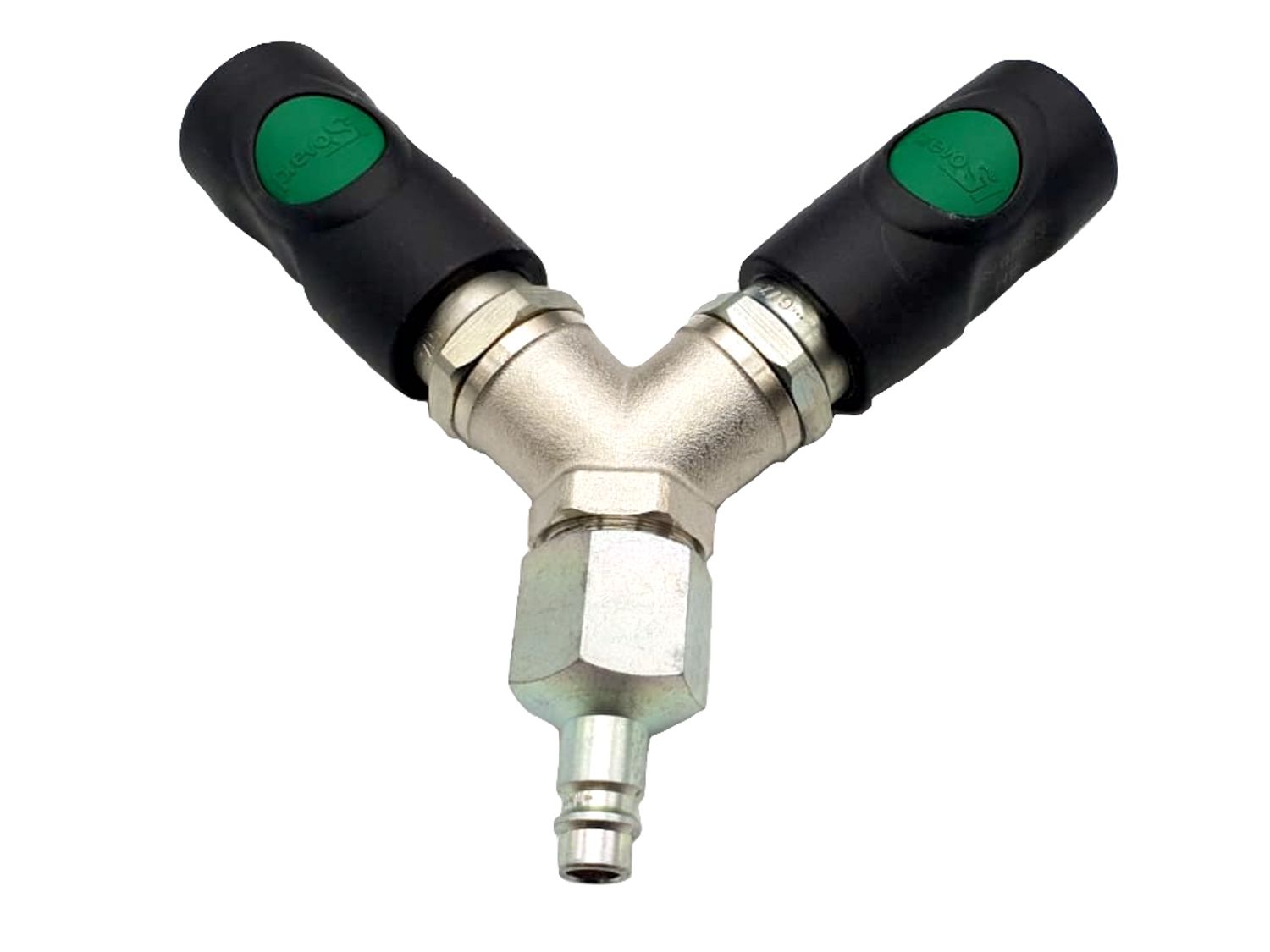
An optional hose splitter can be used to charge two air receivers simultaneously by having both air receivers connected to the compressor at the same time.
This saves the effort of moving the compressor air hose between air receivers but does not reduce the total charging time, which is limited by the compressor size.
> Contact our sales team to purchase a standalone PoE+ switch.
## Charging air receivers
Charging is the process of filling or pressurising an air receiver with compressed air.
When you connect an air receiver to the air compressor and turn the power on, the air receiver will automatically start charging.
The current "charge pressure" is constantly monitored and visible on the tank pressure gauge on the top of the air receiver.
The current charge pressure of each connected air receiver is also visible on the controller's status bar.
Air receivers can be pressurised to either a maximum of 10 bar or a lower charge pressure that you have set in the controller software.
When the air receiver has reached this limit or is fully charged, the compressor will switch off automatically.
Charging should take approximately **8 minutes** for a single 40 litre air receiver to fully charge from empty to its maximum 10 bar capacity.
When using multiple air receivers, the compressor should be connected to the first air receiver as normal until
it is fully charged. Then the compressor air hose can be moved from one air receiver to the next until all of the air receivers being used are charged.
## Optional hose splitter
An optional hose splitter can be used to charge two air receivers simultaneously by having both air receivers connected to the compressor at the same time.
This saves the effort of moving the compressor air hose between air receivers but does not reduce the total charging time, which is limited by the compressor size.
 > Contact our sales team to purchase the optional hose splitter.
You can save additional time by measuring and preparing the rest of the building, whilst waiting for the air receivers to charge.
> Contact our sales team to purchase the optional hose splitter.
You can save additional time by measuring and preparing the rest of the building, whilst waiting for the air receivers to charge.