> ## Documentation Index
> Fetch the complete documentation index at: https://docs.pulseairtest.com/llms.txt
> Use this file to discover all available pages before exploring further.
# Signing off
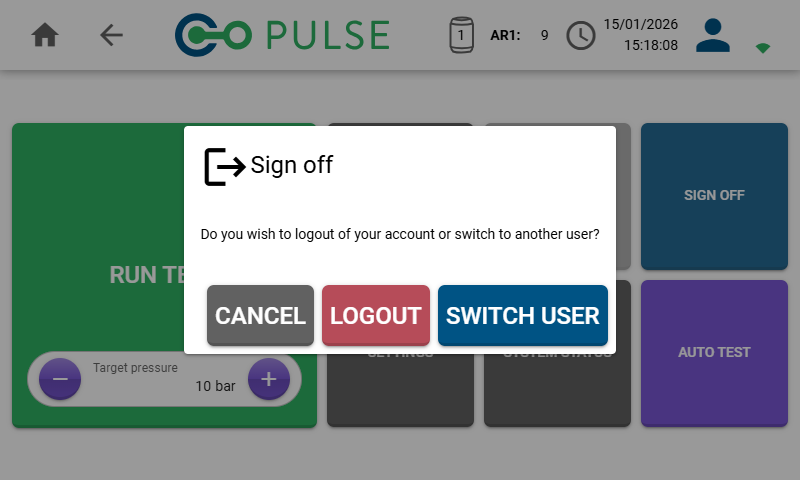
When you have finished using the equipment for a long period of time, or you wish to use a different user account, it is possible to sign out of your account.
 ## Logout
The *Logout button* will completely clear your authentication information and you will be required to reconnect to Wi-Fi and re-enter your password to use the account again.
## Switch user
The *Switch user button* enables you to quickly switch to using a different user account without logging out the current user.
Logged in and inactive users on the device can always be managed from the Manage users screen within Settings.
## Logout
The *Logout button* will completely clear your authentication information and you will be required to reconnect to Wi-Fi and re-enter your password to use the account again.
## Switch user
The *Switch user button* enables you to quickly switch to using a different user account without logging out the current user.
Logged in and inactive users on the device can always be managed from the Manage users screen within Settings.