> ## Documentation Index
> Fetch the complete documentation index at: https://docs.pulseairtest.com/llms.txt
> Use this file to discover all available pages before exploring further.
# How to access
Pulse Online is a web-based portal designed to be used in conjunction with your Pulse equipment.
It allows you to upload and store tests, produce test reports and lodge tests with airtightness competency schemes.
## Accessing Pulse Online
To access your Pulse Online cloud account, go to [www.pulseairtest.com](http://www.pulseairtest.com).
You will be asked to sign in with your email address and password. These login credentials will have been supplied to you when you first purchased the equipment.
Access your cloud account to manage tests and produce test reports.
## Sign in page
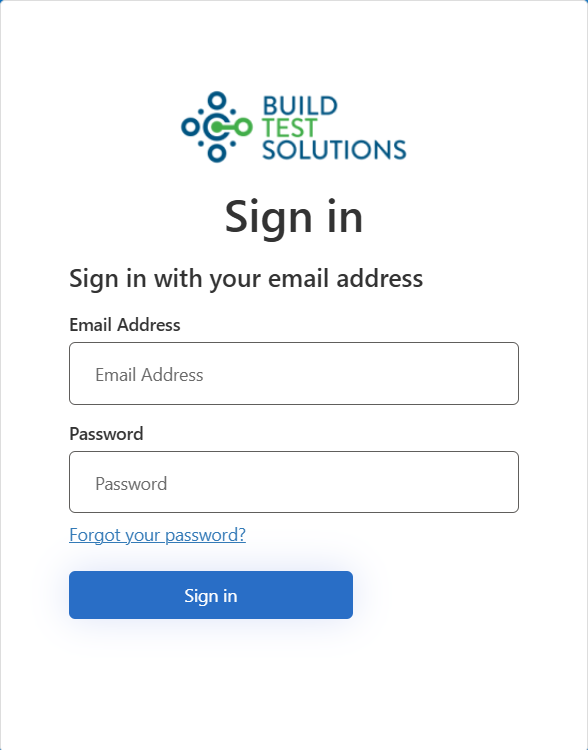
When you first visit Pulse Online, you will be required to sign in using your email address and password.
If you can't remember your password, you can use the *Forgot your password?* link to reset it.
 ## Forgot password page
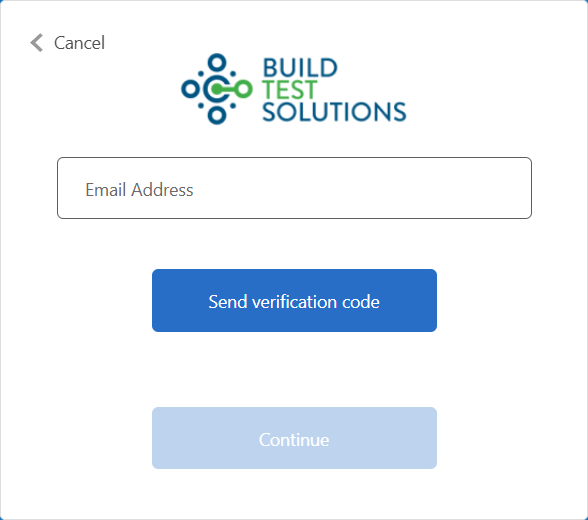
To reset your password, click the *Forgot your password?* link on the sign in page, and follow this procedure:
1. Enter your email address and click *Send verification code*
2. Check your email inbox and retrieve the 6-digit code that was emailed to you
3. Enter the 6-digit code on the page and click the *Verify code* button
## Forgot password page
To reset your password, click the *Forgot your password?* link on the sign in page, and follow this procedure:
1. Enter your email address and click *Send verification code*
2. Check your email inbox and retrieve the 6-digit code that was emailed to you
3. Enter the 6-digit code on the page and click the *Verify code* button
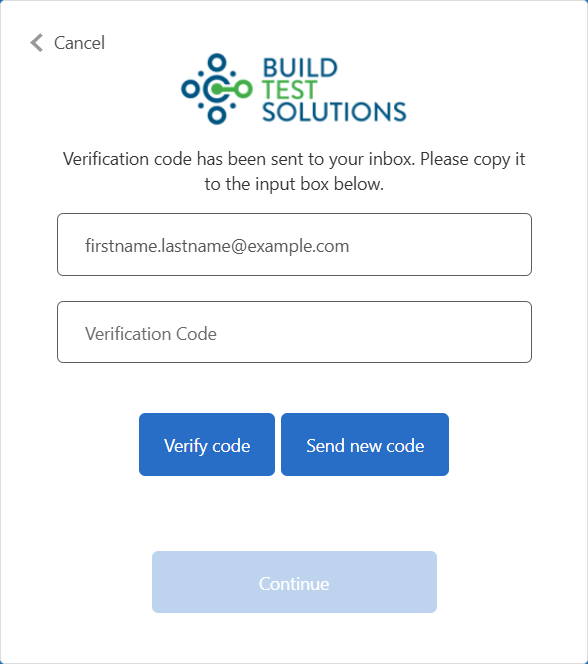 The verification code is only valid for 5 minutes. You will need to request a new code if it has expired.
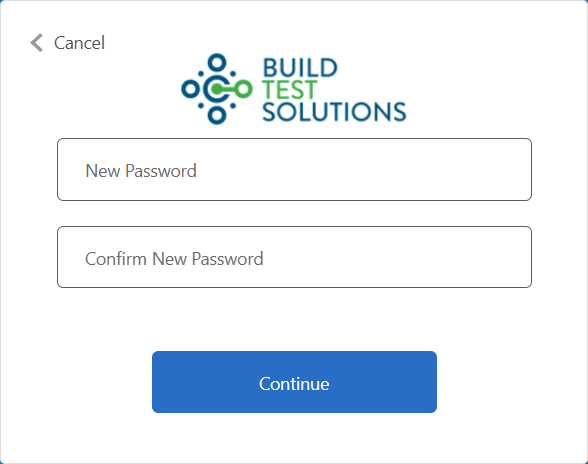
When you have entered the correct verification code, you will be able to create a new password.
Your new password will take effect immediately and must meet the complexity requirements below.
The verification code is only valid for 5 minutes. You will need to request a new code if it has expired.
When you have entered the correct verification code, you will be able to create a new password.
Your new password will take effect immediately and must meet the complexity requirements below.
 Must be:
* A minimum of 8 characters
* A maximum of 256 characters
Must contain at least three out of the following categories:
* Uppercase character (A-Z)
* Lowercase character (a-z)
* Number (0-9)
* Symbol (@ # \$ % ^ & \* - \_ ! + = \[ ] { } | \ : ' , . ? / \` \~ " ( ) ; \< >)
Must be:
* A minimum of 8 characters
* A maximum of 256 characters
Must contain at least three out of the following categories:
* Uppercase character (A-Z)
* Lowercase character (a-z)
* Number (0-9)
* Symbol (@ # \$ % ^ & \* - \_ ! + = \[ ] { } | \ : ' , . ? / \` \~ " ( ) ; \< >)